
One breath · Three independent layersMRTAUDIO STANDARD
MRTAUDIO STANDARD
USB MIDI BREATH CONTROLLER
Play keyboard parts and shape a software instrument’s dynamics or timbre with your breath. Connect by USB-MIDI in the studio or DIN MIDI to compatible hardware; map up to three independent layers to the controls your sound actually uses.
Standard complete set: $169.90 USD
Controller unit + MRTAUDIO Breath Headset
Shipping: $25.00 · Total: $194.90
In stock
WEB CONFIGURATOR + DEVICE MEMORY
CONFIGURE WITH CLARITY. PLAY WITHOUT THE BROWSER.
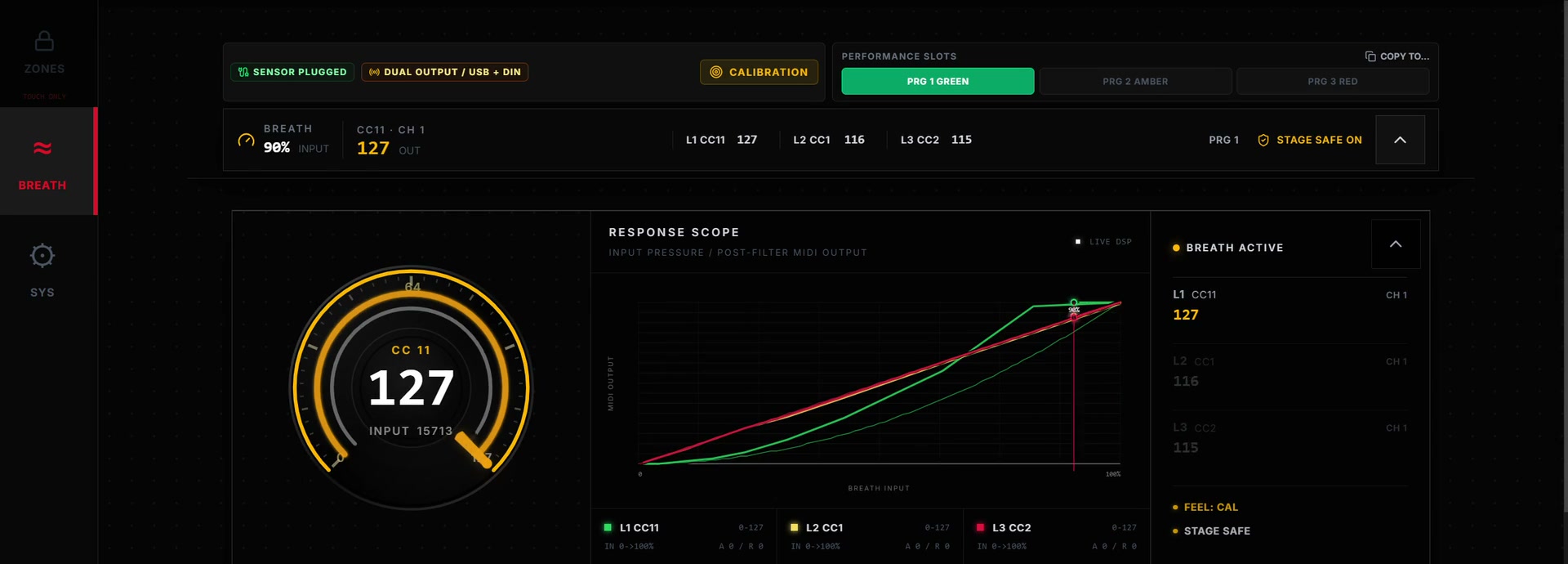
Monitor input pressure and processed MIDI output, edit the layers, and save the setup to P1, P2 or P3. Once the configuration is sent to the controller, the browser does not need to remain open for normal performance.
Three independent layers
Set each layer's MIDI destination, channel, input/output range and response independently.
Shape the response around your playing
Use curve, Attack and Release settings to define how breath movement becomes MIDI output.
Manage the resting response
Use Breath Onset and Stage Safe when a setup needs a defined starting or idle response.
PERFORMANCE VIDEOS
See It in Use
See how breath control is mapped to compatible MIDI instruments and software.
Simon Oslender & Randy Brecker - Live Performance
PRODUCT ESSENTIALS
3 DETAILSWHAT MATTERS MOST
THREE-LAYER ROUTINGONE BREATH.
ONE BREATH.
THREE LAYERS.
YOUR EXPRESSION.
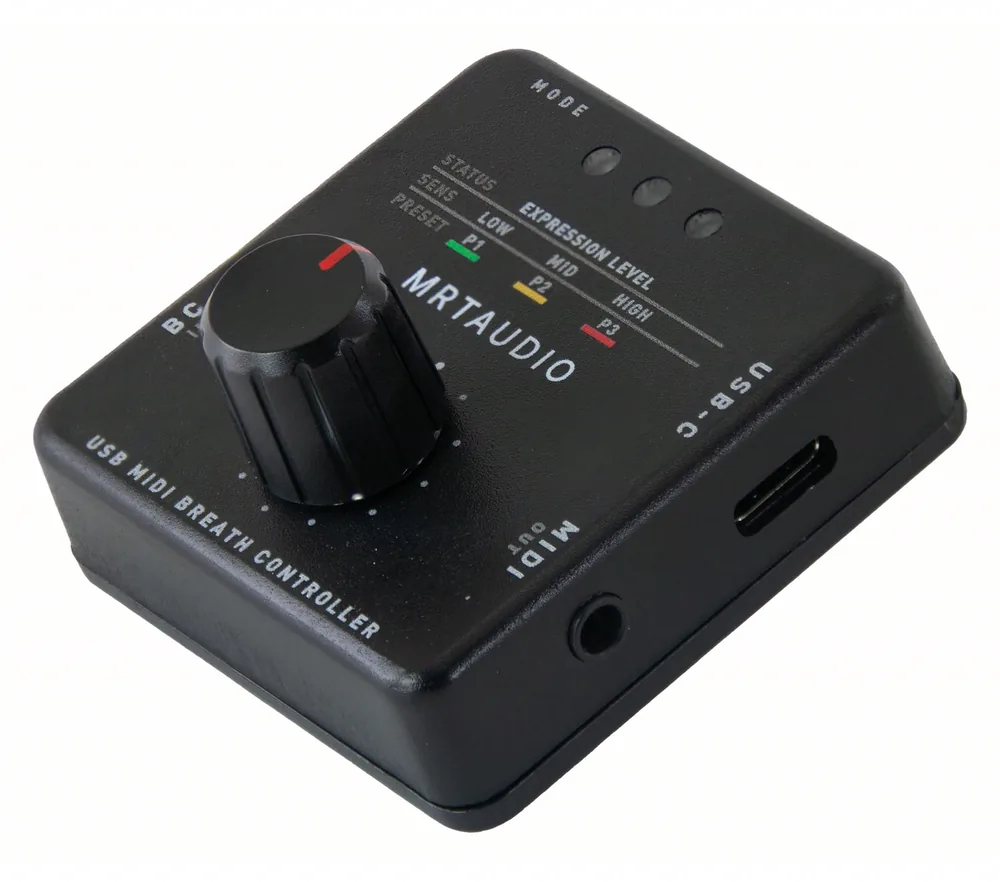
Give each layer its own MIDI destination, channel, input/output range, response curve, Attack and Release values, then save the setup to the controller.
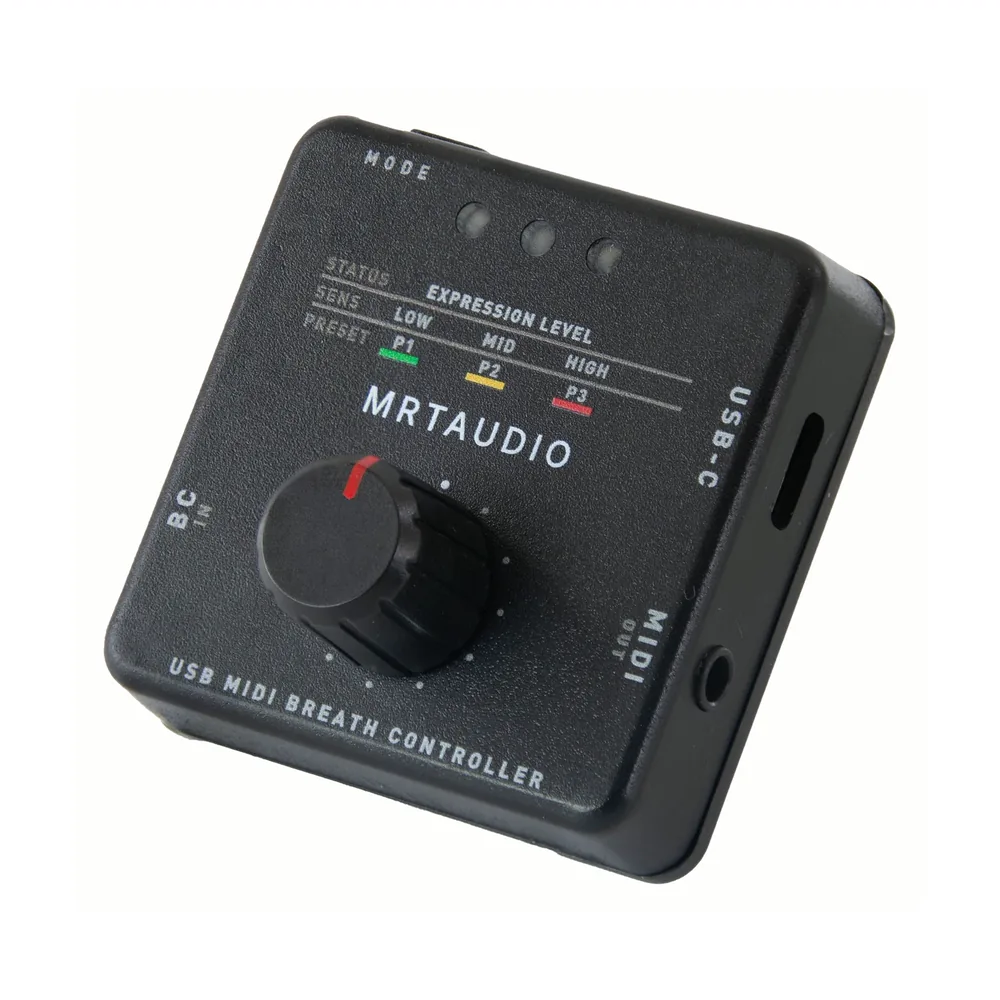
ON-DEVICE CONTROLYOUR SETTINGS.
YOUR SETTINGS.
WITHIN REACH.
Use the MODE button, encoder and three status LEDs to adjust Gain or the selected setup’s Layer 1 OUT MIN value, and switch among P1, P2 and P3 without opening the browser.
HANDS-FREE PLAYINGKEEP BOTH HANDS
KEEP BOTH HANDS
ON THE MUSIC.
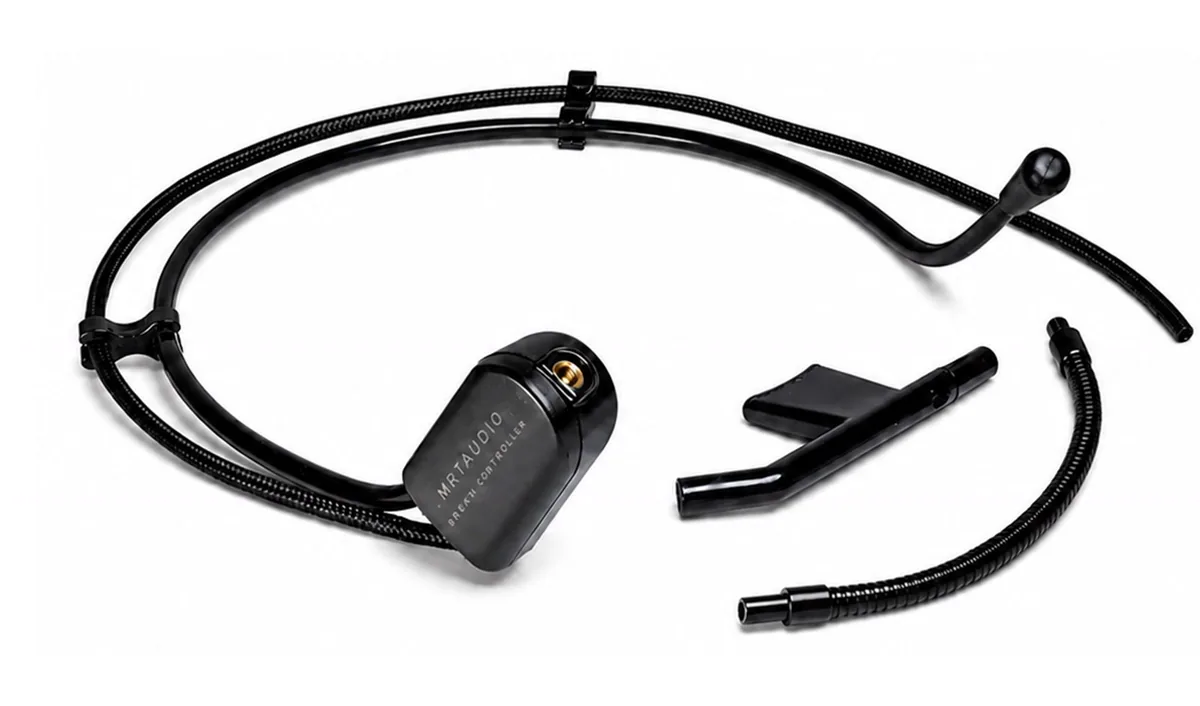
Position the adjustable mouthpiece, then shape compatible MIDI parameters with your breath while you continue to play.
DESIGNED FOR BREATH CONTROLView the headset option
THE COMPATIBLE HEADSET OPTION.
For your first setup, choose the complete set with the controller and compatible MRTAUDIO breath headset. If you already own a compatible headset, consider the controller-only option; it does not include a breath headset.
HEADSET PACKAGE CONTENTS
- 1 x MRTAUDIO Breath Headset headband and sensor assembly
- 1 x flexible air tube with threaded connector
- 2 x detachable mouthpieces (one primary, one spare)
WEB CONFIGURATORSHAPE THE RESPONSE
SHAPE THE RESPONSE
AROUND YOUR PLAYING.
Use a compatible WebMIDI browser to adjust the breath response and layer ranges, then save the setup to the controller.
- 01RESPONSE SETUPSet the starting point, sensitivity and response curve to suit the way you play.
- 02LAYER ROUTINGRoute one breath input to up to three independent MIDI destinations.
- 03SAVE TO DEVICEStore the completed setup in the controller for later use.
CONNECTION AND MIDI GUIDES
Check your setup before choosing a breath controller
- How does it fit into a DAW setup?
- Standard sends MIDI control data; your software instrument produces the sound. Enable MRTAUDIO BC as the MIDI input in your DAW and route it to the instrument track. Play notes from your keyboard while breath shapes a parameter that the instrument or sound library accepts.
- Can I play without a computer?
- For compatible hardware instruments, connect MIDI OUT to MIDI IN with a 3.5 mm TRS Type A to 5-pin DIN cable. The controller still needs a regulated 5 V USB power source. Web Configurator can stay closed while you perform with stored settings.
- What should I check on my keyboard or DAW?
- For USB, confirm that the host accepts class-compliant USB-MIDI. The receiving sound must respond to your selected MIDI message and channels. The factory profile sends CC7 Volume on channels 1–3; other assignments can be configured in Web Configurator.
What is a USB MIDI breath controller?Keyboards without USB MIDI host support: connections and CC7/CC11CC2 versus CC11 for breath controlUSB-MIDI and DIN MIDI connections for computers and keyboardsCalibration, Gain and Breath Onset settingsAll MIDI setup guides
For computer connections, MIDI OUT and controller settings, see our MRTAUDIO Standard setup options.
Documentation and downloads
Follow the Standard user guide for connections, calibration and presets. Download the English PDF for an offline reference.
For regional purchase information, see US ordering options and European ordering options.
SPECIFICATIONSTechnical Details
+
Technical Details
SensorAnalog Pressure Sensor
with input filtering and configurable response
with input filtering and configurable response
Hardware InterfaceUSB-C Data & Power / DIN MIDI Output
For use with a computer or compatible MIDI hardware
For use with a computer or compatible MIDI hardware
MIDI RoutingConfigurable MIDI Messages
Pitch Bend, NRPN, high-resolution CC, standard CC, Note and Aftertouch modes
Pitch Bend, NRPN, high-resolution CC, standard CC, Note and Aftertouch modes
Control ArchitectureThree-Layer Breath Routing
3 breath layers with independent ranges, curves and routing
3 breath layers with independent ranges, curves and routing
CompatibilityCompatible MIDI Keyboards, Modules and DAWs
USB MIDI and DIN MIDI behavior depends on the target host
USB MIDI and DIN MIDI behavior depends on the target host
IN THE BOXSTANDARD
STANDARD
CONTROLLER UNIT.
The Standard controller includes USB data/power and TRS MIDI Type A to 5-pin DIN cables. A compatible MRTAUDIO breath headset is required; add one at checkout if you do not already own one.
01
STANDARD CONTROLLER
USB MIDI breath controller with an encoder, status LEDs and three stored performance setups.
02
USB-C Cable
USB data and power connection.
03
MIDI Cable
3.5 mm TRS MIDI Type A to 5-pin DIN male MIDI cable.
04
Online Documentation
Setup, Web Configurator and support guides.